 Jenga360
Free demo • 15 minutes
See Jenga360 on your own tender or project
We run the demo live, using one of your real tenders or projects. You see exactly how Jenga360 would organise your work — not sample data from a company that isn't yours.
No payment details needed. No documents to send now. Just one tender or project you want to organise. Prefer WhatsApp?

How it works
What happens before, during and after the demo
You send the form
Tell us one tender or project you would like to see in Jenga360. A line is enough — the type of work and the client. No documents needed yet.
We set up your demo
We create a Jenga360 company for you and enter your tender or project. By the time we meet, your real work is already in the system waiting for you.
We run the 15 minutes together
We share our screen and walk through each part of Jenga360 using your work. You ask questions. We show you what is relevant to your company.
You decide what happens next
If Jenga360 fits, your 30-day free pilot starts immediately — the company we set up is already yours. If it doesn't fit, no obligation.
Demo script • ~15 minutes
Exactly what we cover
Five chapters. Each one shows a part of your company's work, already organised in Jenga360.
-
Your tender in the register
We open the tender register and show you the tender we entered before the call: the name, procuring entity, deadline and status are already there. This is where every tender your company tracks lives — one list, always up to date, nothing in a chat or a spreadsheet.
- Tender number, client, amount and deadline in one row
- Status moves from Open → Bidding → Won / Lost
- Filter and search across all tenders
Jenga360 tender register, shown with sample data. -
The Jenga-Check analysis
We open the tender detail. Jenga360 has read the document and produced a brief: scope of works, eligibility, bid security, key dates and any red flags. The AI drafts this; you review it and decide whether to bid. No more reading 80 pages before you know if you even qualify.
- Scope, eligibility and bid security at a glance
- Key dates extracted automatically
- Red flags flagged before you invest time pricing

Tender Jenga-Check analysis, shown with sample data. -
NeST documents prepared from your records
We show how your company records — registration number, directors, capacity class — flow directly into your NeST documents. Instead of retyping your details for every bid, Jenga360 fills the standard forms from what is already on file. You review, correct and export.
- Company details fill the forms automatically
- Change once, update everywhere
- Export the completed documents for submission

NeST document preparation, shown with sample data. -
Won tender becomes a project
We mark the tender as won and promote it to a project. The contract price, procuring entity and key information carry over automatically. We then show the project dashboard: progress certificates, retention, certified but unpaid amounts and the work programme — all in one view.
- One click to move a won tender to a project
- Contract price and details carry over
- Progress certificates tracked against the contract
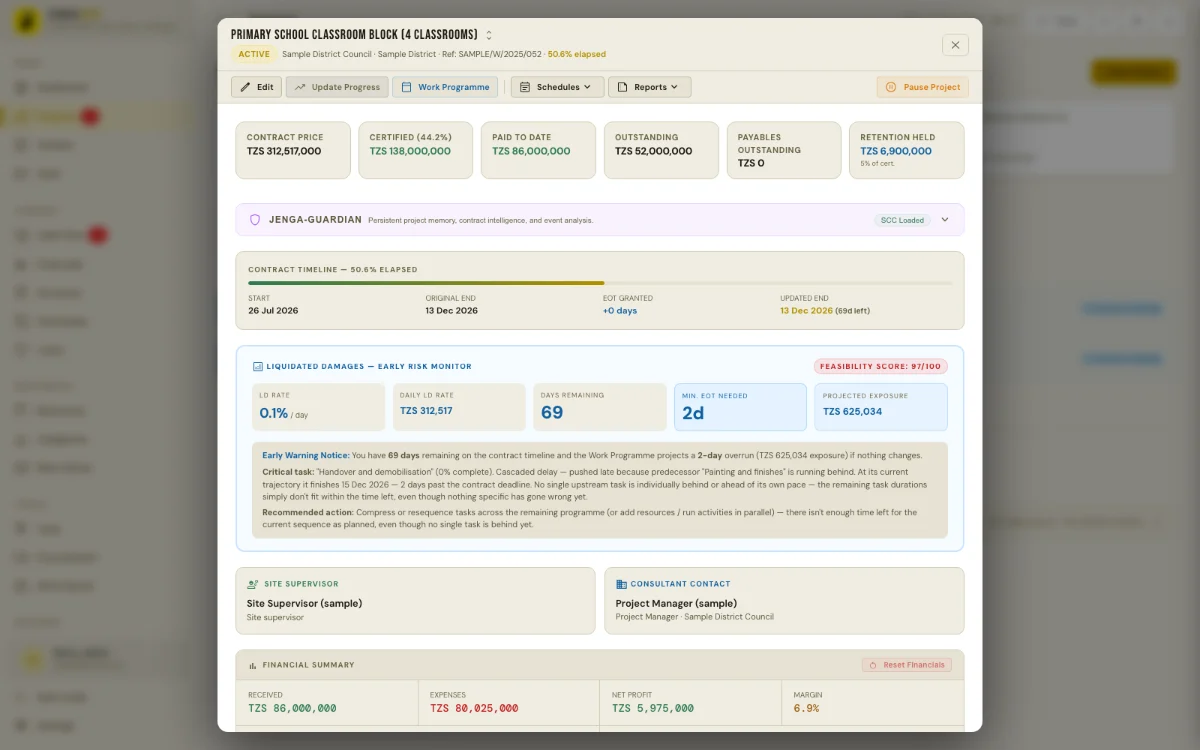
Project dashboard, shown with sample data. -
Money: cash flow and what is owed
We open the cash flow view. Jenga360 shows what is ready to claim, what is certified but not yet paid, and a 12-month forecast built from your certificates, expenses and overheads. You can see whether a delayed payment will cause a cash problem before it happens — not after.
- Ready-to-claim and certified-unpaid in one view
- 12-month cash forecast from real project data
- Expenses and overheads included in the forecast
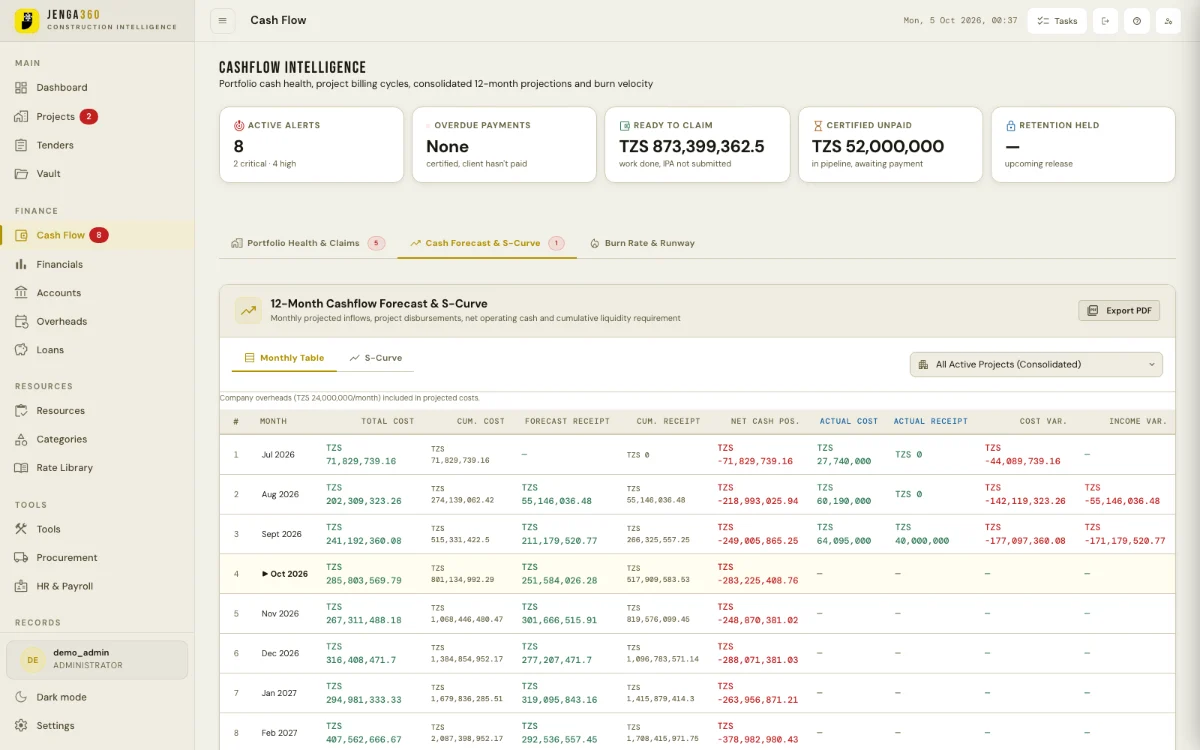
Cash flow forecast, shown with sample data.
Questions we hear
What people ask during the demo
"What if I have ten tenders, not one?"
The pilot is not limited. You can enter as many tenders and projects as you like during your 30 days. We start with one so the demo is focused and useful.
"Can my staff use it too?"
Yes. Each Jenga360 company has user accounts with different roles. During onboarding we add whoever you want.
"Is my company data visible to others?"
No. Each company's data is completely separate. Nobody outside your company can see your tenders, projects or documents.
"What happens at the end of the 30 days?"
We check in and help you choose the plan that fits. If you move to a paid plan, everything you entered during the pilot stays in the system. Nothing is lost.
Ready to see it?
Book the 15-minute demo
Tell us one real tender or project. We'll set up Jenga360 before the call and walk you through it live.
No payment needed. No documents to send. Just one tender or project you'd like to organise.